1
Choose the set
Open 400 Freestyle, choose the workout you want, and review the full session before you save it.
Garmin Connect IQ for swimmers
Choose a structured swim set on your Garmin watch, save it, and start it from Pool Swim. The watch guides the work and records the swim.
On the watch
The watch flow starts with the plan, then the workout list, then the step list for the selected session.
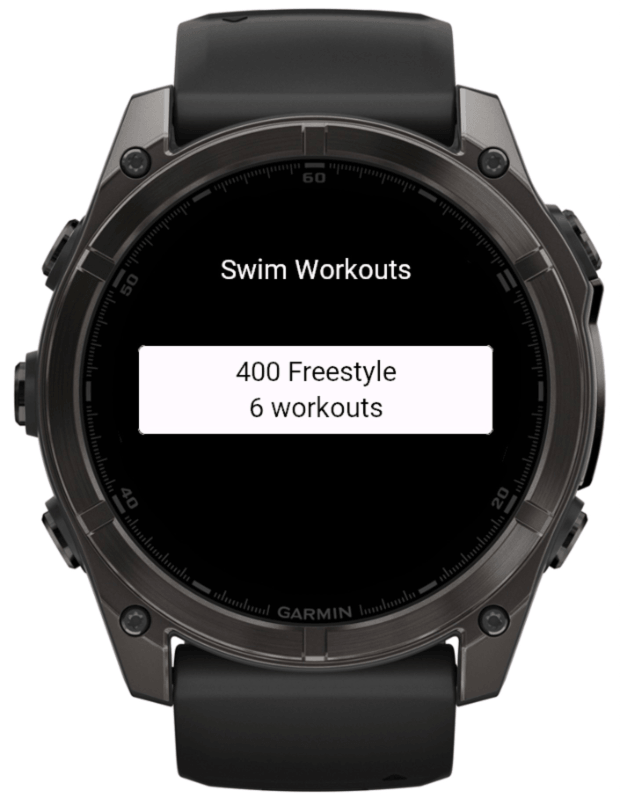
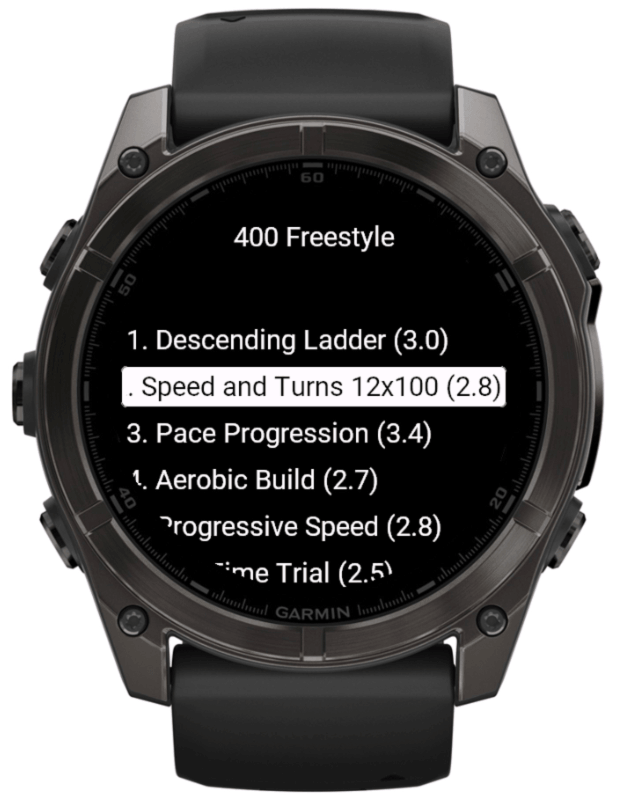
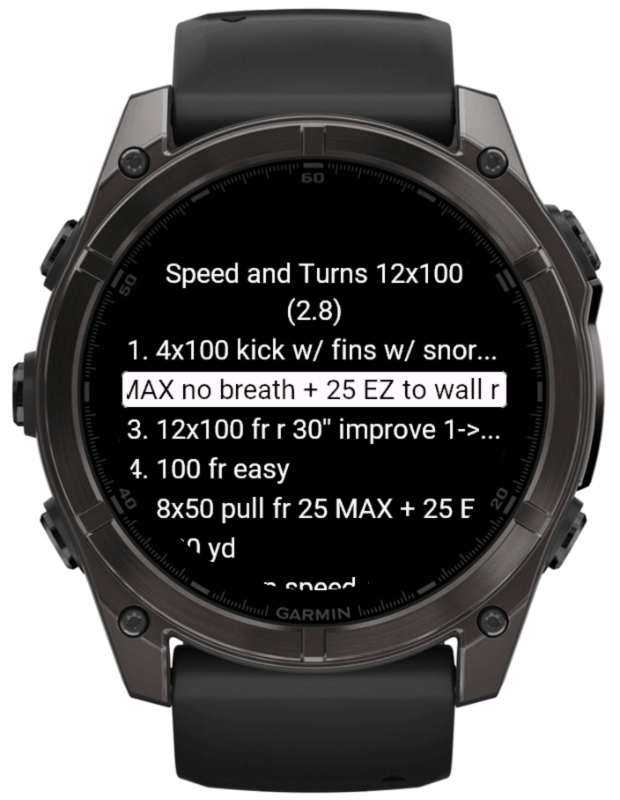
400 Freestyle plan
Each workout keeps the full set list on the watch: warmup, drills, main work, recovery, and race-specific turns.
Open 400 Freestyle, choose the workout you want, and review the full session before you save it.
Select 25 m, 50 m, 25 yd, or 50 yd so the saved workout fits the pool you are actually swimming.
After Sync, open Pool Swim / Training / Workouts and choose the saved workout from Garmin's list.
Settings and actions
Pool settings, workout actions, and pool-length choices stay available from the watch menus.
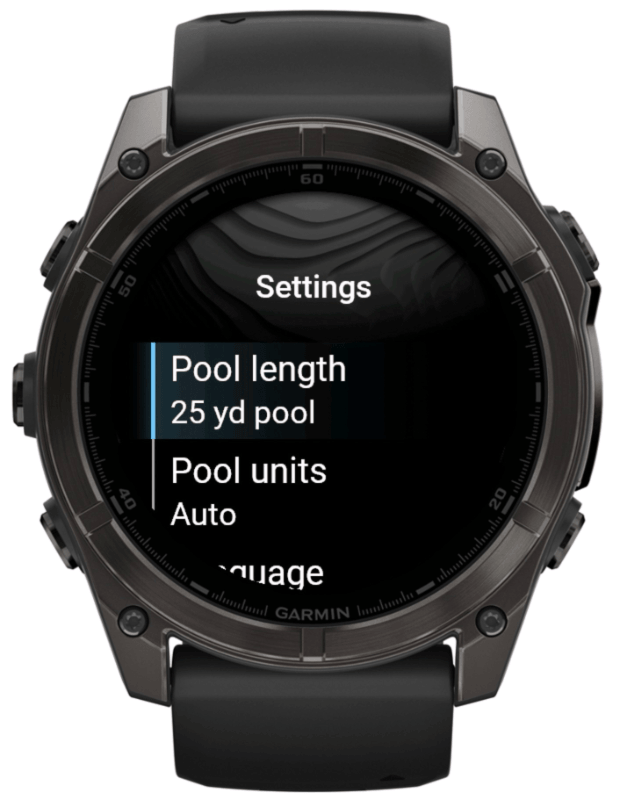
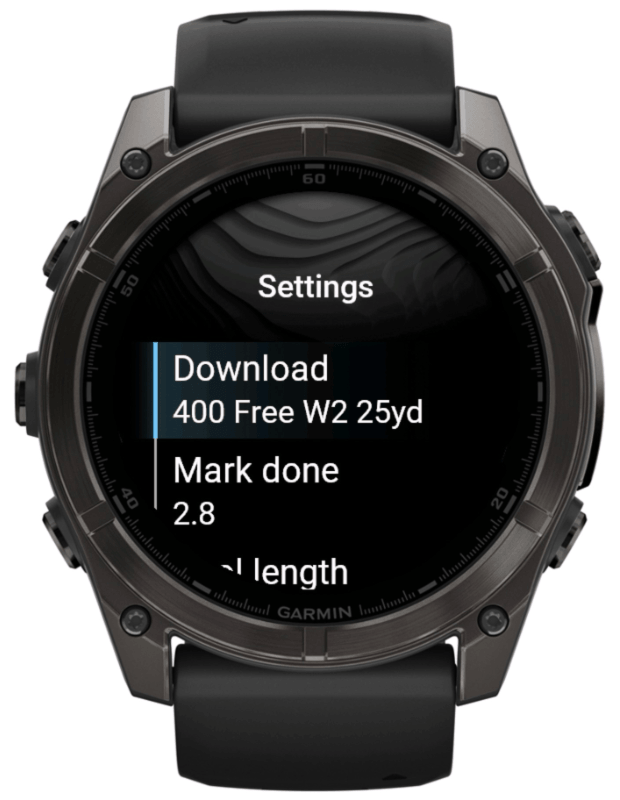
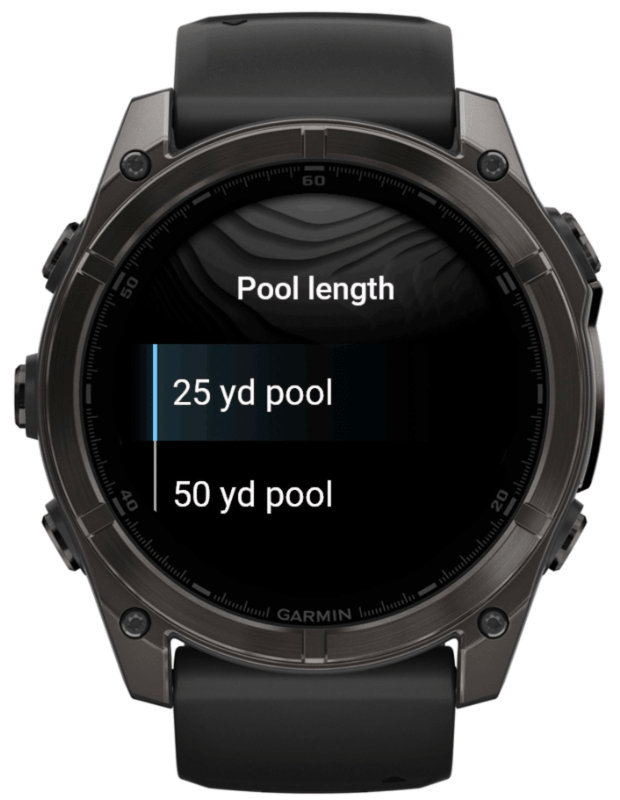
Verified on device
Pick the pool that matches your lane, press Sync, then open the saved workout from Pool Swim / Training / Workouts. Garmin Pool Swim handles the prompts and records the session as a normal pool activity.